01 /
Folders & collections
Separate work, personal projects and useful finds. Move websites and collections with drag and drop.
Favorite websites, work collections and open tabs in one calm space. Open a new tab and start with what matters.
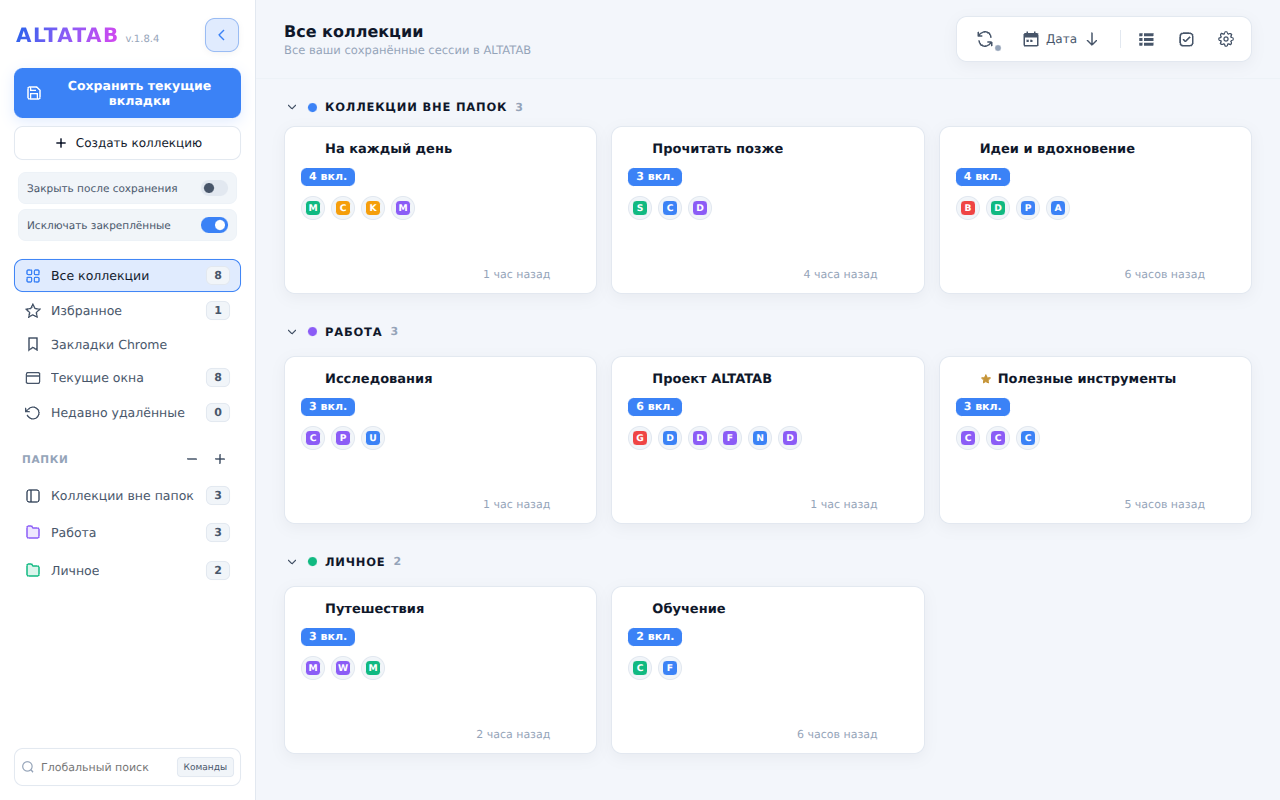
Actual ALTATAB interface · example collections
From daily tasks to ideas for later, give every link a place to belong.
Separate work, personal projects and useful finds. Move websites and collections with drag and drop.
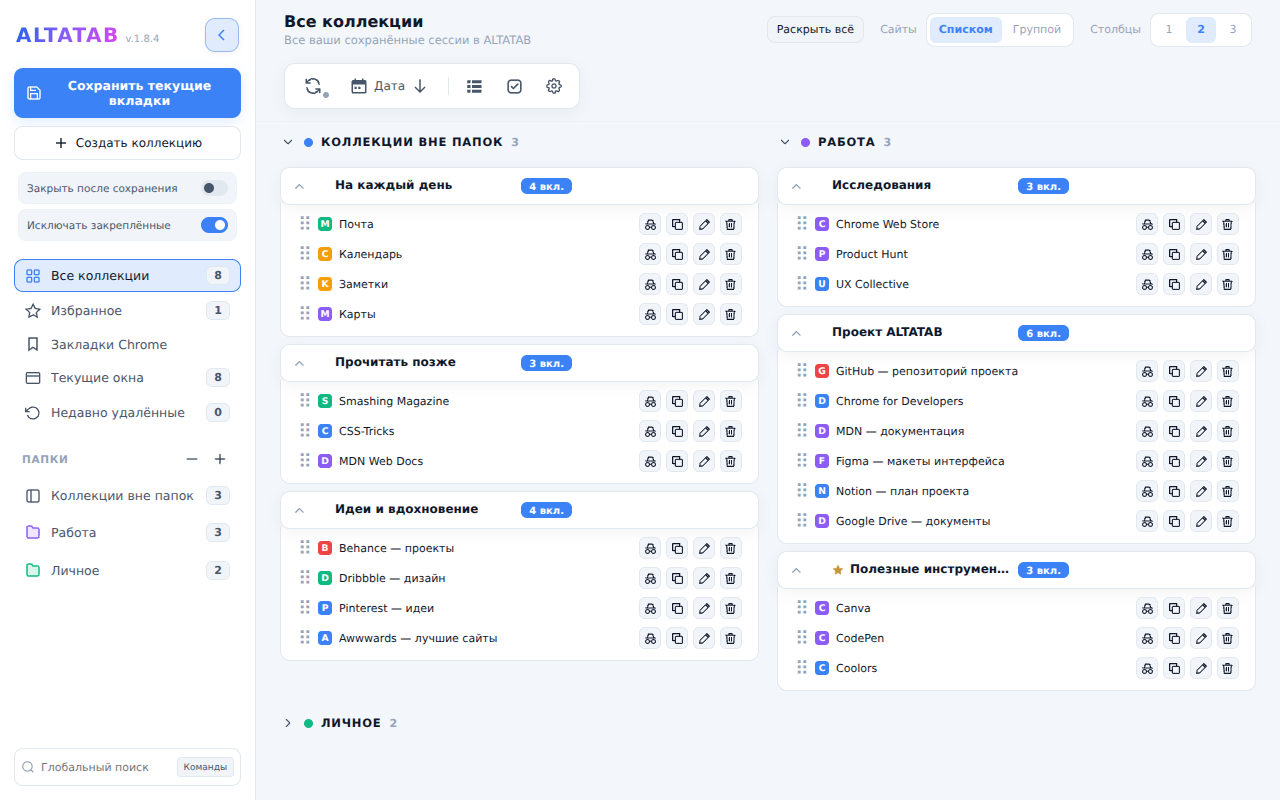
Choose cards or an expandable list with one, two or three columns. Make the space suit the way you work.
Work with open windows and tab groups, save useful websites and find them with search.
Expand folders directly in the list. Choose your layout density and return to your collections with fewer clicks.
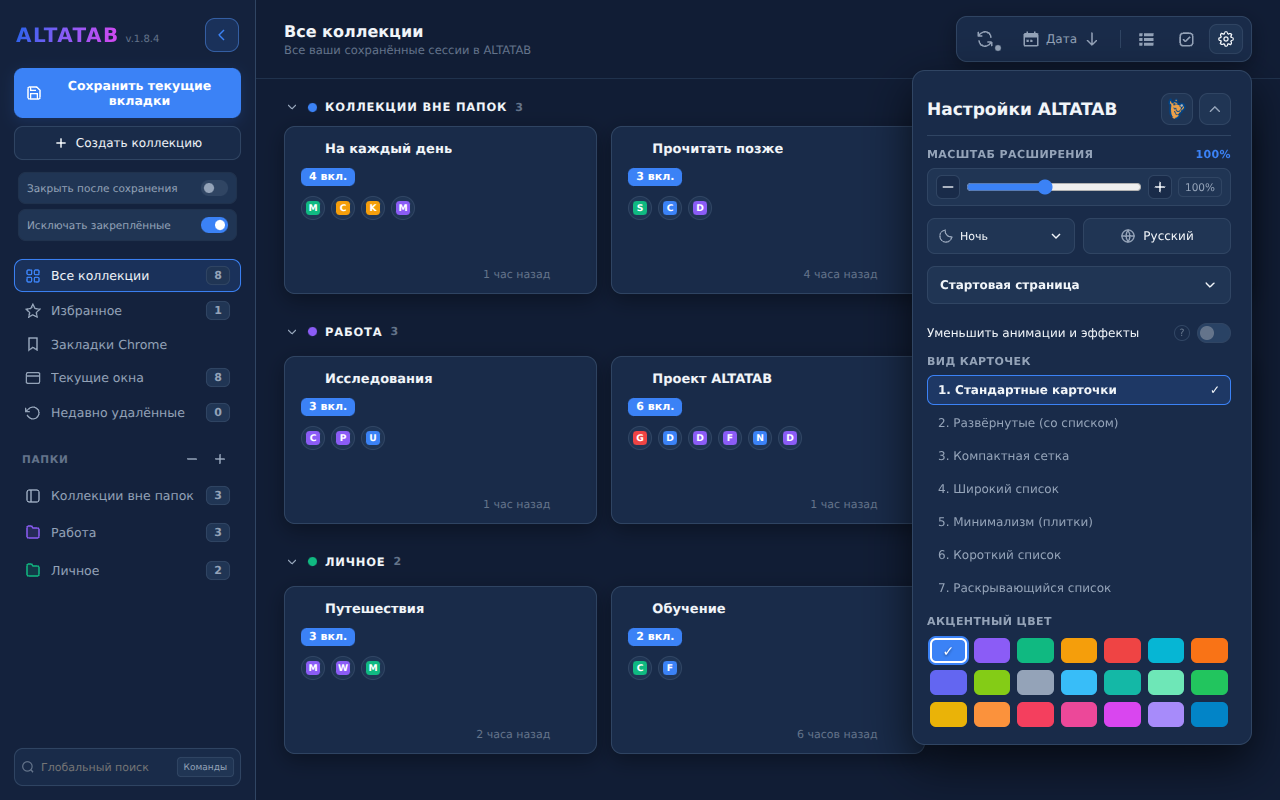
A light theme for a fresh start. A deep dark theme for evening focus. Familiar collections, in your atmosphere.
Connect your Google account to sync collections and settings through Google Drive. Changes sync when both devices are connected to the internet.
Signing in is optional. Offline changes are saved locally; syncing resumes when you reconnect.
Local features work without signing in. Optional sync uses a dedicated ALTATAB app data folder in your Google Drive.
How your data is handled ↗We’re preparing a link-only release on the Chrome Web Store. Want to join or report a bug? Get in touch — your feedback will help shape the release.
Contact the developerBeta · Chrome Web Store release in preparation
No account is required to work with local collections. You’ll need a Google account if you choose to sync between computers.
You can work with locally saved collections. Opening websites requires an internet connection; syncing resumes when you reconnect.
You can set a password for a folder or an individual collection. It hides content in the interface but does not encrypt saved links or exported files.